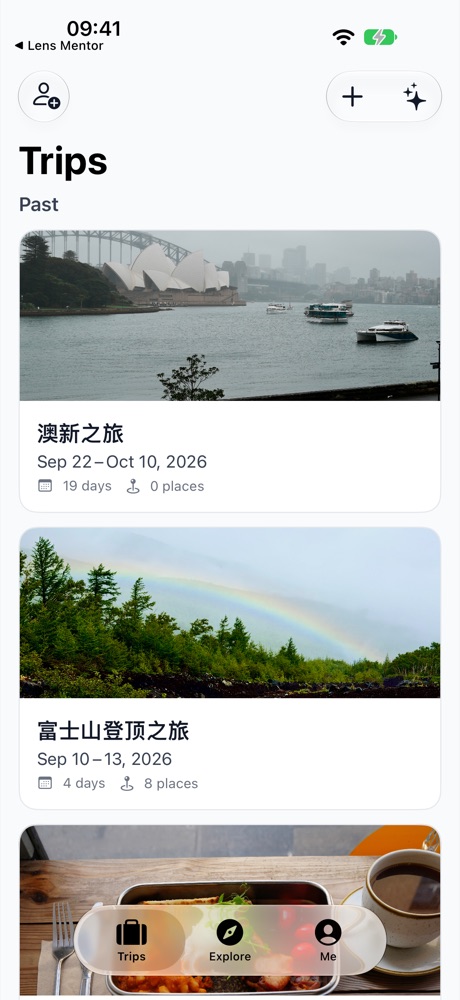
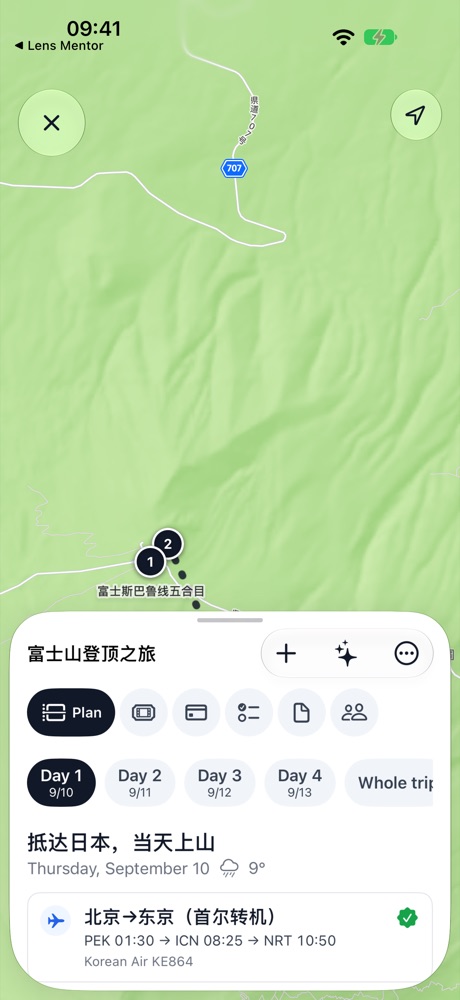
Days and maps行程与地图
Search and add places, drag to reorder or move between days. Pick walking, cycling or driving per leg; Apple Maps draws the route and time. The whole-trip view shows it all at once.搜索并添加地点,拖动排序、跨天移动。每段路程可选步行、骑行或驾车,Apple 地图画出路线与时长,整程视图一眼看完。
Bookings, stays and costs预订、住宿与费用
Flights, trains and stays land on the right day; import a booking file and confirm what was found. Costs in any currency, split between people, with who-owes-whom worked out.航班、火车和住宿落在对应的那一天;导入预订文件自动识别。费用支持任意币种折算、按人分摊,算好谁欠谁。
Plan together和同伴一起
Invite with a link, then chat, share notes and links, and settle things with a poll. Other people's edits appear on your screen as they happen.邀请链接加成员,聊天、共享笔记和链接、投票做决定。别人的改动实时出现在你屏幕上。
Works offline没网也能用
Add places, edit notes and tick off packing with no signal; it all syncs when you are back. If an edit clashes with someone else's, you choose which one stays. Photos are cached too.离线时照常加地点、改备注、勾行李,联网后自动同步。和别人改冲突了,由你决定保留哪一份。图片也缓存在本机。
Explore探索
A map of where you have been with country counts, a bucket list, a vacation calendar, saved places, and journals built from your trips.足迹地图和国家统计、心愿清单、年假日历、地点收藏,以及从旅行生成的游记。
Private by design注重隐私
No tracking and no ads. Your session lives in the keychain, and signing out wipes the copy on your phone.不做跟踪,不接广告。登录会话保存在钥匙串里,退出登录即清空手机上的数据。
An AI assistant, on your own modelAI 助手,用你自己的模型
Add a key for Claude, OpenAI or any OpenAI-compatible endpoint and tap ✦ to talk. The assistant reads and edits your real trips through MCP: look up plans, add places, plan routes, and see the changes everywhere right away.填上 Claude、OpenAI 或任意 OpenAI 兼容端点的密钥,点 ✦ 就能对话。助手通过 MCP 读取和修改你的真实行程:查计划、加地点、排路线,改完各处立刻可见。
ClaudeOpenAICustom endpoint自定义兼容端点MCP
Add a sunset spot on the afternoon of day 2第二天下午加一个看日落的地方
search_place · get_trip_summary
Yotsutsuji, halfway up Fushimi Inari, looks west over Kyoto at sunset. Added to day 2 at 17:00, a 20-minute walk.伏见稻荷半山腰的四辻能俯瞰京都落日,已加到第 2 天 17:00,步行 20 分钟。
 Waypoint